


5950 E Brown Rd, Mesa AZ 85205
Mobile | Marine | Motorsports | Motorcycle
Window Tinting | Safety & Convenience | PPF | Custom Boxes | Smart Start Interlock


Largest single store Rockford Fosgate Dealer in U.S. since 2013
(480) 396-9003
FREE Shipping on ONLINE Orders over $99.99
We accept Debit, Credit, and Financing with SNAP Finance,


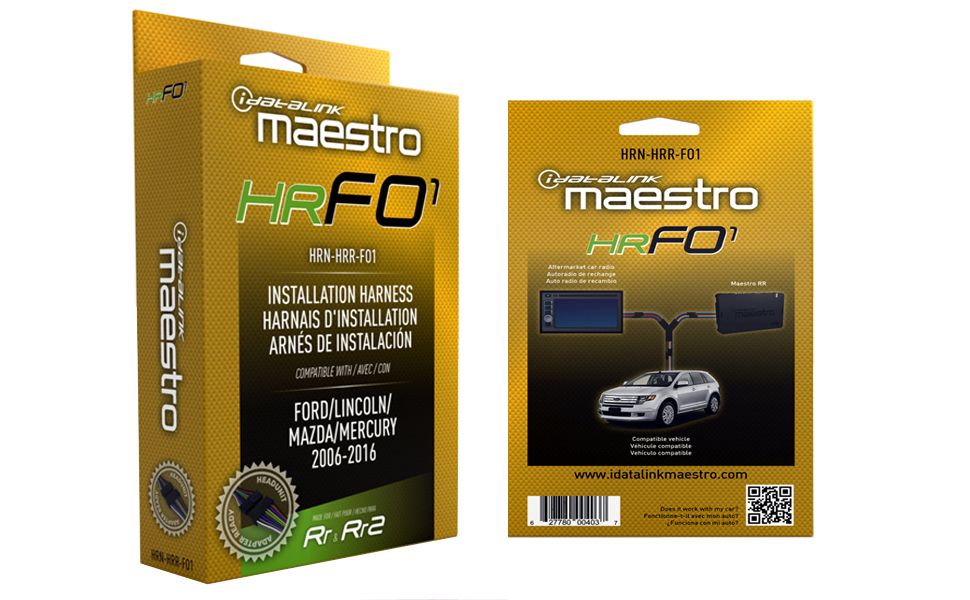
idatalink Maestro HRN-HRR-FO1
Plug and Play Harness for Select Ford, Lincoln, Mercury & Mazda Vehicles 2006-16 (ADS-MRR or ADS-MRR2 module required)
Note: The iDatalink Maestro HRN-HRR-FO1 requires the purchase of the iDatalink Maestro ADS-MRR or ADS-MRR2 Interface Module. (SOLD SEPARATELY)
This HRN-HRR-FO1 wiring adapter from iDatalink allows you to connect a new car stereo in select 2006-16 Ford, Lincoln, Mercury, and Mazda vehicles, working in conjunction with iDatalink's Maestro ADS-MRR or ADS-MRR2 module. Once connected, you'll retain the use of your steering wheel audio controls, factory amp, and backup camera if present.
The package includes three connectors that plug in between the Maestro module, your Ford radio's wiring plugs, and your new car stereo. You'll have to solder or splice together this harness's power/ground, illumination, speaker, and navigation output wires to the corresponding wires on your aftermarket receiver's wiring harness.
If you're buying a compatible iDatalink-ready car stereo, you'll enjoy the outstanding performance of your receiver, plus seamless touchscreen control over most of the factory features in select Ford-built vehicles. You'll keep your Ford SYNC system, secondary vehicle display, vehicle settings, and rear seat entertainment system. You'll also be able to display engine performance data and other vehicle info on your receiver's screen.
This harness also features an in-line head-unit connector harness, which will plug into their new "Head-unit direct" harnesses for select radio brands, which eliminate the need to splice any wires. If you're installing a radio that doesn't work with a "Head-unit direct" harness, you simply cut off the plug and connect the wires to the harness included with your new radio.
*Installation Note: This "HRN-HRR Series" Plug & Play Radio Replacement Installation T-Harness requires an Idatalink Maestro ADS-MRR or ADS-MRR2 Interface Module and the corresponding Idatalink Maestro Car Stereo Head-Unit ACC-HU-ALP1 (Alpine), ACC-HU-PIO1 (Pioneer), ACC-HU-SON1 (Sony), ACC-HU-KEN1 (Kenwood/JVC with 22-Pin Connector) or ACC-HU-KEN2 (Kenwood/JVC with 16-Pin Connector) Installation T-Harness. (Sold separately.)
- ADS-MRR: (Vehicle Coverage: 30 Makes - Models: 4318 - Years: 2002+)
- ADS-MRR2: (Vehicle Coverage: 30 Makes - Models: 4582 - Years: 2002+) with 3 Programmable Outputs
Note: The iDatalink Maestro HRN-HRR-FO1 Requires the purchase of the iDatalink Maestro ADS-MRR or ADS-MRR2 Interface Module. (SOLD SEPARATELY)
Product highlights:
- Allows installation of a new receiver in select Ford-built vehicles (also requires the Maestro ADS-MRR or ADS-MRR2 module)
- Displays engine performance data on touchscreen with select Alpine, JVC, Kenwood, Sny, and Pioneer receivers
- Retains the use of your steering wheel audio controls, factory amp, and backup camera, with any car stereo
- Also retains Ford SYNC system, secondary vehicle display, vehicle settings, and rear seat entertainment system with an iDatalink-ready radio
- Compatible with iDatalink's "Head-unit direct" harnesses.
What's in the box:
- iDatalink HRN-HRR-FO1 owner's manual
- Ford installation harness
- OBDII harness (pre-connected to main harness)
- Sub harness
- Camera harness
- 2 Yellow/Black wire harnesses
Features
Ford/Lincoln/Mercury Harness: The iDatalink Maestro HRN-RR-FO1 installation harness greatly simplifies the installation of the Maestro RR or RR2 Car Radio Replacement Interface module (sold separately) in select Ford, Lincoln, and Mercury vehicles when replacing your factory radio with an iDatalink Serial Port compatible head unit or other aftermarket head unit from Kenwood, JVC, Alpine, Sny, and Pioneer; or other aftermarket head unit.
Note: The iDatalink Maestro HRN-RR-FO1 installation harness requires the purchase of the iDatalink Maestro RR or RR2 (sold separately).
Head Unit Connection: The HRN-HRR-FO1 supports iDatalink's Direct T-Harnesses (sold separately) for direct connection to select iDatalink Serial Port compatible head units (including Kenwood, JVC, Alpine, Sny, and Pioneer radios) - replacing the wiring harness that comes with your aftermarket stereo (some hardwiring may still be required). If connecting to an aftermarket head unit that does not support an iDatalink Direct T-Harness, you'll need to cut off and remove the 20-pin black connector from the HRN-HRR-FO1 harness and splice each wire directly to the aftermarket radio's corresponding wire.
Retained Features: The following factory features (if applicable) are retained when replacing your factory radio with a compatible iDatalink Serial Port head unit from Kenwood, JVC, Alpine, Sny, or Pioneer using the Maestro RR or RR2 Car Radio Replacement Interface module and HRN-RR-FO2 installation harness.
- Ford Sync: Retains the Ford Sync system; including Bluetooth hands-free communication and audio streaming, as well as USB media player. .
- Factory Amplifier: Retains factory premium audio amplifier (including Sny or THX) with turn-on, fader, gain adjustment, DSP settings, and speed compensated volume.
- Steering Wheel Controls: Factory steering wheel controls are retained with two function buttons and expandable radio functions.
- Vehicle Settings: Access and modify factory vehicle settings through the compatible aftermarket head unit's touchscreen.
- Secondary Vehicle Display: Secondary vehicle display is retained (if factory equipped) with audio information, hands-free information, and internal navigation.
- Cameras: Factory backup camera is retained with dynamic parking guidelines. If you add an aftermarket front and/or side cameras (sold separately) to your iDatalink compatible head unit that is equipped with multiple camera inputs, the vehicle's factory auto camera switching feature is also retained.
- RSE (Rear Seat Entertainment): The factory RSE (rear seat entertainment) system is fully retained.
Note: When installing an aftermarket head unit without the iDatalink Serial Port, only steering wheel control, amplifier turn-on, and back-up camera are retained.
Extra Features:
The following Extra features are added when replacing your aftermarket head unit with a compatible iDatalink Serial Port head unit from Kenwood, JVC, Pioneer, Sny, or Alpine using the Maestro RR or RR2 Car Radio Replacement Interface module and HRN-HRR-FO1 installation harness.
- Vehicle Info: Tire Pressure Display, Battery Voltage Display, Read/Reset Engine Codes, and Door Open Status with Warning.
- Gauges: Selectable Performance Gauges, "Track Pack" Gauges, and Read/Reset Check Engine Codes.
Outputs: The HRN-HRR-FO1 provides Navigation, Accessory Power, and Illumination Outputs to make installation simpler.
- Navigation: Parking Brake, Reverse Light, and VSS (Vehicle Speed Sense).
- Accessory Power Output: 12V/15A Accessory Power Output
- Illumination Output: Illumination Output
Flashing Module via Weblink Desktop: The iDatalink Maestro RR (ADS-MRR) will need to be loaded with correct firmware before installation. The included USB cable plugs into your computer and allows you to "flash" the Maestro RR or RR2 with the appropriate firmware to prepare it for installation. Simply download Weblink Desktop (for Windows and Mac) onto your computer to access the appropriate firmware. System requirements include -
- Windows PC (10/8.1/8/7/Vista/XP/2000) or Mac OS X (Mojave [10.14], HighSierra [10.13], Sierra [10.12], El-Capitan [10.11])
- Available USB port (version 2.0 or 3.0)
- 4GB RAM or more, 200MB available space on HDD, Internet connection
*Installation Note: This "HRN-HRR Series" Plug & Play Radio Replacement Installation T-Harness requires an Idatalink Maestro ADS-MRR or ADS-MRR2 Interface Module and the corresponding Idatalink Maestro Car Stereo Head-Unit ACC-HU-ALP1 (Alpine), ACC-HU-PIO1 (Pioneer), ACC-HU-SON1 (Sony), ACC-HU-KEN1 (Kenwood/JVC with 22-Pin Connector) or ACC-HU-KEN2 (Kenwood/JVC with 16-Pin Connector) Installation T-Harness. (Sold separately.)
- ADS-MRR: (Vehicle Coverage: 30 Makes - Models: 4318 - Years: 2002+)
- ADS-MRR2: (Vehicle Coverage: 30 Makes - Models: 4582 - Years: 2002+) with 3 Programmable Outputs
Get financed with SNAP Finance, and buy online.
Once approved SNAP will issue a virtual card number that you then use like a credit card
to make your online purchase.